iPhone・iPad 向け・フラッシュ暗算と読み上げ算

数字が、
まばたきの間に出て消える。

「まばたき暗算」は、そろばん教室でおなじみのフラッシュ暗算と読み上げ算を、毎日5分の練習にしたアプリです。見えた数・聞こえた数を頭の中でぜんぶたして、答えを入れる。決めた秒ぴったりに出して、実際にかかった秒も見せます。

App Store で見る(準備中)

有料アプリです。一度買えば、すべての機能が使えます。あとからお金はかかりません。広告もありません。
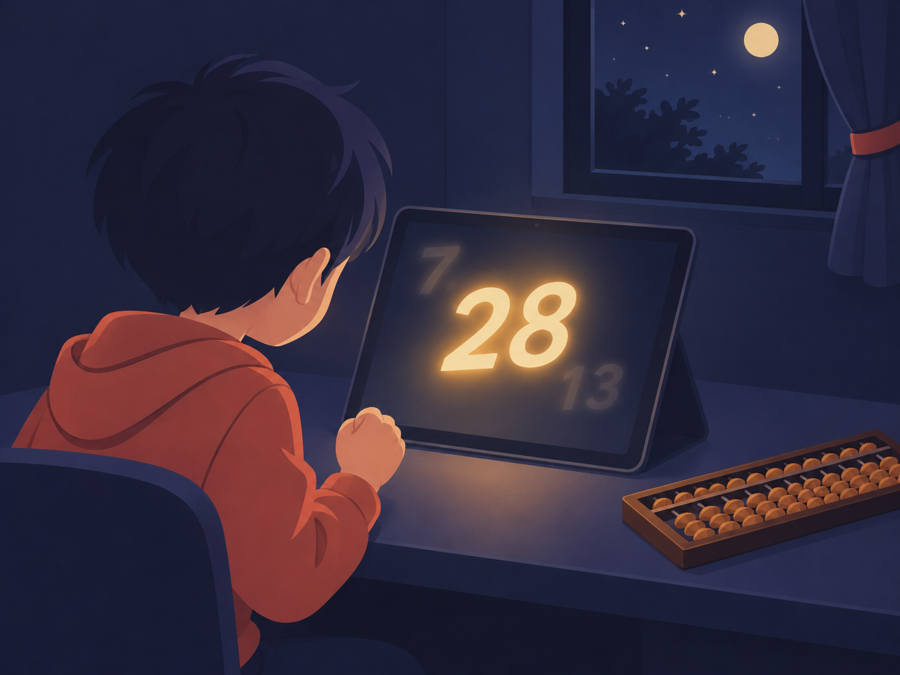
夜の机で、タブレットから光る数字が浮かび、子どもが見つめている絵

こんな困りごとのために作りました

広告で数字が見えない

広告も、アプリ内課金もありません。練習の画面に、数字と答えのボタンのほかは何も出しません。

数字が小さい・ぼやける

数字は画面の大きさから計算して、いちばん大きく描きます。iPhone・iPad・iPhone Duo のどれでも、くっきり出ます。

秒が合っていない気がする

1口目が出てから最後の口が消えるまでを、決めた秒ちょうどに合わせます。答えたあとに、実際にかかった秒(例: 3.01秒)を出します。

検定や大会の条件で練習したい

桁(1〜6)・口数(2〜30)・秒(1.0〜60.0)・ひき算のあり・なしを決めて、名前をつけて残せます。

まちがえた問題を見直したい

まちがえたら、式と正しい答えを見せて、同じ数を同じ速さでもう一度流せます。1問だけやり直すこともできます。

間違えるとレベルが下がる

60段のステップは、5問中4問で合格。まちがえてもステップは下がりません。

まばたき暗算の流れ

まず1問

はじめに1問、ゆっくり試します。

腕前チェック

だんだん速くなる5問。まちがえたところで止まって、あなたに合うステップを選びます。

毎日5問

ホームの「はじめる」で、5問(または10問)を続けて流します。正解なら自動で次の問題へ。

記録で振り返る

この2週間の正解とまちがい、合格したステップの数がひと目で分かります。

できること

フラッシュ60段のステップ(1桁3口5秒〜3桁15口1.5秒)。画面の更新に合わせて出し、実際の秒を表示
読み上げ算24段のステップ。「願いましては」「123円なり」「引いては」「では」と、そろばん教室の読み方で読み上げ。速さは3つ
じぶんの設定桁 1〜6・口数 2〜30・秒 1.0〜60.0・ひき算。名前をつけて残せる
見直しまちがえた問題を同じ速さでもう一度見る・1問だけやり直す
見た目夜・昼・黒板。ひき算の数は色を変えて「−」をつける
音数字ごとの音・正解とまちがいの音(消音スイッチが入っていても鳴る。設定で切れる)
記録答えるたびに保存。2週間のグラフ。あなたの iCloud で同期し、機種変更しても残る
ショートカットSiri・ショートカット・アクションボタンから「練習をはじめる」
広告・課金・登録広告なし・アプリ内課金なし・アカウント登録なし。開発者はデータを集めません

よくある質問

検定の級や段と同じですか

ステップは、このアプリの段階表です。検定団体の公式アプリではありません。検定や大会の条件で練習したいときは、じぶんの設定に桁・口・秒をそのまま入れてください。

iPad でも使えますか

使えます。iPad の大きな画面いっぱいに数字を出します。キーボードをつないでいれば、数字キーと Return で答えられます。

ネットにつながっていなくても使えますか

使えます。読み上げも iPhone の中で行います。iCloud の同期は、つながったときに行われます。

返金はできますか

返金は Apple の規定に従います。reportaproblem.apple.com からお申し出ください。開発者が直接返金することはできません。

使い方のくわしい説明は 使い方とお問い合わせ にあります。

お問い合わせ

不具合や気になることがあれば、ryo.tsuzukihashi@tsuzukit.com までご連絡ください。作っているのは個人開発者の續橋涼(TsuzuKit)です。

For iPhone and iPad · Flash mental math and listening drills

Numbers flash by
in the blink of an eye.

Blink Anzan turns flash mental math (flash anzan) and listening arithmetic, the drills used in soroban classes, into a 5-minute daily practice. Add up every number you see or hear, then enter the total. Numbers are timed exactly, and the actual time is shown.

View on the App Store (coming soon)

A paid app. Buy once and every feature is yours. No extra charges, no ads.

A child at a desk at night watching a glowing number rise from a tablet

Made for these problems

Ads cover the numbers

No ads and no in-app purchases. The practice screen shows only the numbers and the answer keys.

Numbers are tiny or blurry

Numbers are sized from your screen to be as large as possible, crisp on iPhone, iPad and iPhone Duo.

The timing feels off

First number shown to last number cleared takes exactly the seconds you set. After each answer you see the actual time, such as 3.01 s.

Practicing exam conditions

Set digits (1-6), numbers (2-30), seconds (1.0-60.0) and subtraction, and save it with a name.

Reviewing a miss

When you miss, see the equation and correct answer, and replay the same numbers at the same speed. You can also retry a single problem.

Dropping a level after a mistake

Clear a step with 4 of 5 correct. Mistakes never move you down.

How it works

Try one

Start with one slow problem.

Skill check

Five problems that get faster. It stops at your first miss and picks your step.

5 a day

Tap Start on Home to run 5 (or 10) problems back to back. Right answers move on automatically.

Look back

See two weeks of right and wrong answers and how many steps you've cleared.

Features

Flash60 steps (1 digit, 3 numbers, 5 s to 3 digits, 15 numbers, 1.5 s), drawn in sync with the screen, with the actual time shown
Listening24 steps, read aloud one number at a time at three speeds
My drillsDigits 1-6, numbers 2-30, seconds 1.0-60.0, subtraction, saved with a name
ReviewWatch a missed problem again at the same speed, or retry just one problem
LookNight, Day or Chalkboard. Subtracted numbers get a different color and a minus sign
SoundsA tick for each number and right/wrong sounds (play with the silent switch on; can be turned off)
RecordsSaved with every answer, two-week chart, synced with your iCloud
Shortcuts"Start practice" from Siri, Shortcuts or the Action button
No ads, no accountNo ads, no in-app purchases, no sign-up. The developer collects no data

FAQ

Do the steps match exam grades?

Steps are this app's own levels. This is not an official app of any exam organization. To practice exam conditions, enter the digits, numbers and seconds in My drills.

Does it work on iPad?

Yes. Numbers fill the large screen. With a keyboard attached, answer with the number keys and Return.

Does it work offline?

Yes. Speech also runs on the device. iCloud sync happens when you're online.

Can I get a refund?

Refunds follow Apple's rules. Request one at reportaproblem.apple.com. The developer can't issue refunds directly.

See Help & Contact for details.

Contact

For bugs or questions, email ryo.tsuzukihashi@tsuzukit.com. Made by Ryo Tsuzukihashi, an independent developer (TsuzuKit).